TECHO
TUESDAY
 [email protected]·Evenings and Weekends Available·Free 30-Min Consult·No Upsells, No Hidden Fees·Serving Chicagoland·(773) 888-1406·[email protected]·No Upsells, No Hidden Fees·
Fixed.Finally.
You should not have to fight your own technology. When your home or business falls behind, everything else does too.
Techo Tuesday keeps Chicagoland moving.
Whether you are dealing with tech headaches at home or need reliable support for your business, there is a right fit here for you.

Home Tech Help
Everything tech in your home, sorted from start to finish. Plain English, zero pressure, zero judgment.
- ✓Wi-Fi dead zones, slow speeds, dropped connections
- ✓Smart home setup: locks, lights, thermostats, cameras
- ✓TV mounting, home theater, and streaming setup
- ✓PC, Mac, and smartphone help for any skill level
- ✓Patient, jargon-free walkthroughs, no judgment
If it is not right within 14 days, I come back and fix it at no charge.
See Home Services →
Business Tech Support
Cut admin time by automating the tasks eating your week. Real tools, real outcomes, zero jargon.
- ✓Automated client intake, confirmation, and follow-up
- ✓AI-assisted scheduling and calendar management
- ✓Document summaries and instant report generation
- ✓CRM and lead management automation
- ✓Workflow connectors between tools you already pay for
Built on the same frameworks used by enterprise and federal AI teams, delivered at a price and pace that makes sense for a local business.
See Business Services →See AI Automation in Action →Not sure which fits? Book a free consult and we will figure it out together.
Tech Help.
Your Way.
Techo Tuesday started as a simple idea, a playful nod to two of my favorite things: technology and tacos. It is about making complicated technology simple, familiar, and even enjoyable.
I am a member of the community I serve, helping families, neighbors, and small businesses get the most from their technology, free from frustration, complicated fine print, and upselling tactics.
Because every day should feel like a Techo Tuesday.
Smart home setups, business tech, and everything in between.
 Smart Home
Smart devices, thermostats, locks, cameras, and full home automation across every major platform.
🏠 Home Networking
Wi-Fi dead zones, mesh systems, routers, access points, and full home network optimization.
🏠 Home SMB AI & Automation
AI tools, smart workflows, cloud productivity, and business process automation without the jargon.
💼 Business PC & Mac
PC and Mac repair, custom builds, software installs, backups, and full device setup from scratch.
⚡ Both A/V and Theater
Surround sound, TV mounting, projectors, streaming devices, and A/V receiver configuration.
🏠 Home Android & Apple
Android and Apple setup, cloud sync, storage, app permissions, and personalized walkthroughs.
🏠 Home Business Tech
Security cameras, servers, NAS, smart business systems, and cloud tools for small businesses.
💼 Business SMB Networking
Switches, ethernet runs, VLANs, wired LAN deployments, and multi-device network infrastructure.
💼 Business Consulting
Smart home planning, ecosystem design, tech audits, and honest buying advice with no upsells.
⚡ Both Music and Audio
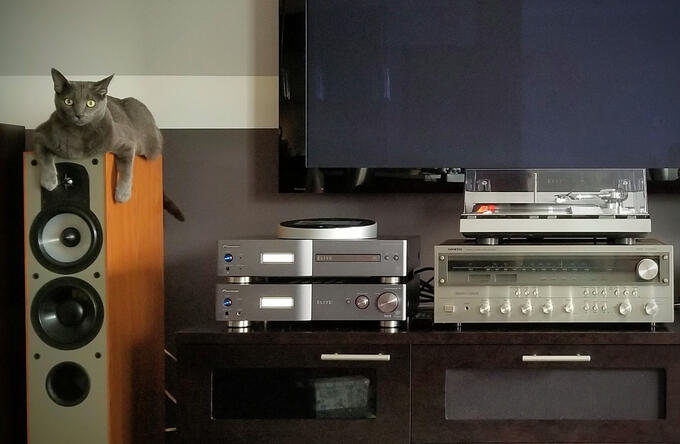
Turntable setup, 2-channel stereo, speaker placement, streaming services, DAC and amp configuration, and multi-room audio.
🏠 Home Media
MediaPhoto and video camera setup, podcast studios, VR headsets, and media backup workflows.
🏠 Home Training
Step-by-step tutorials, personalized sessions, seniors welcome, remote or in-person appointments.
⚡ Both